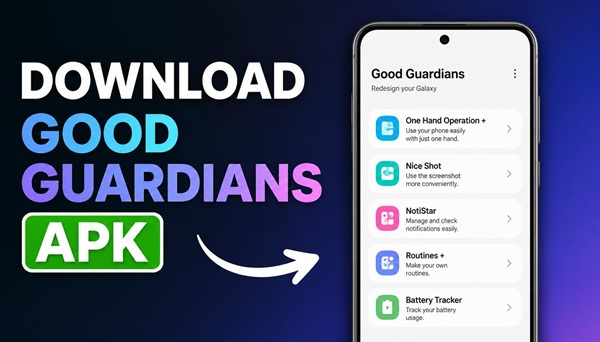
Good Guardians is a useful Samsung application designed to help you monitor your phone’s performance, manage battery usage, control temperature, and improve the overall experience of using your Galaxy device.
If you want to download Good Guardians on your Samsung smartphone but cannot find it in the Google Play Store, you can use the download link provided at the bottom of this article.
What Is Good Guardians for Samsung?
Good Guardians is a utility application developed by Samsung for compatible Galaxy smartphones and tablets. It provides additional tools that help you understand how your device works and manage certain aspects of its performance.
Depending on your device, Android version, and the installed version of Good Guardians, the available tools may include the following:
- Battery Guardian — provides battery-related options and helps you understand power consumption.
- Thermal Guardian — helps monitor your phone’s temperature and manage thermal behavior on supported devices.
- Memory Guardian — provides information about memory usage and helps manage device memory.
- Galaxy App Booster — optimizes applications after installation or system updates on supported devices.
- Media File Guardian — helps manage certain media-related files where supported.
The availability of individual modules depends on your Samsung device, software version, and region.
Why Can’t You Find Good Guardians in the Play Store?
Good Guardians is part of Samsung’s ecosystem of device utilities. Unlike ordinary Android applications, it may not be available through the Google Play Store.
Availability can also depend on your country, Galaxy model, and One UI version. Even if you use a compatible Samsung smartphone, searching for the application in Google Play may not show the result you expect.
You can check the Samsung Galaxy Store first. If Good Guardians is unavailable there, you can download the APK installation file using the link at the bottom of this page.
How to Download and Install Good Guardians APK
Installing Good Guardians from an APK file is straightforward. Follow these steps:
- Scroll to the bottom of this article and open the Good Guardians download link.
- Download the APK file to your Samsung Galaxy smartphone.
- Open the downloaded file from your browser’s downloads list or the My Files application.
- If Android asks for permission, allow installation from that particular source in your phone’s settings.
- Return to the downloaded APK file and tap Install.
- Once installation is complete, open Good Guardians and check which tools are available for your device.
If your phone displays a message that the application cannot be installed, the APK may be incompatible with your device or Android version. In that case, try to obtain a compatible version.
Which Samsung Phones Support Good Guardians?
Good Guardians is intended for supported Samsung Galaxy devices. Compatibility varies between models and software releases, so the application may work differently on a Galaxy S series, Galaxy Z series, or selected Galaxy A series smartphone.
Some tools may be available only on particular models. Installing the main application does not guarantee that every module will appear or function on your phone.
Before installing an APK, make sure that you download a version compatible with your device and obtain the file from a trustworthy source.
Download Good Guardians APK
If you cannot find Good Guardians in the Google Play Store, use the download link below to get the installation file for your Samsung Galaxy smartphone.
After downloading, open the APK file and follow the installation instructions above. Once installed, you can explore the available tools and use the features supported by your Galaxy device.
