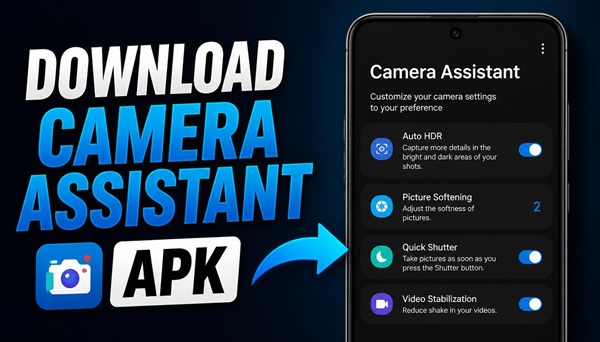
Camera Assistant is a useful application for Samsung Galaxy users who want more control over their phone’s camera. If you enjoy taking photos and recording videos, this app can help you customize camera behavior and adjust additional settings to suit your needs.
What Is Camera Assistant?
Camera Assistant is a Samsung camera customization app designed to provide additional options for compatible Galaxy smartphones. It works alongside the standard Samsung Camera app and gives users more flexibility when taking photos and recording videos.
Depending on your phone model and software version, Camera Assistant may offer options for adjusting camera performance, shutter behavior, automatic lens switching, picture processing, and other camera functions.
These settings are particularly useful if you want to change how your smartphone responds when capturing fast-moving subjects, taking pictures in different lighting conditions, or switching between camera lenses.
Camera Assistant Features
The available features depend on your Samsung Galaxy device and its software version. Some of the settings you may find include:
- Camera speed: Customize certain camera behaviors to make taking pictures more convenient.
- Auto lens switching: Adjust how the camera selects lenses when zooming or shooting close-up subjects.
- Picture processing: Change supported processing options to suit your photography preferences.
- Video recording settings: Customize selected camera behaviors for a more convenient recording experience.
- Additional camera controls: Access extra options that may not be available in the standard camera settings.
Not every feature is available on every Galaxy smartphone. Your device model and installed version of the Camera Assistant app determine which options you can use.
How to Install Camera Assistant on Android
To get started, download the Camera Assistant APK file to your Android device. Once the download is complete, open the APK file and follow the on-screen instructions to install the application.
If Android asks for permission to install apps from this source, allow the installation for your browser or file manager, then return to the APK file and continue.
After installation, open Camera Assistant and check the available settings. If the app is compatible with your Samsung Galaxy phone, you can start customizing the supported camera options.
Download Camera Assistant APK
Ready to try Camera Assistant on your Samsung Galaxy smartphone? Download the APK file below and follow the installation instructions above to get started.
After installing the app, open it and explore the available camera settings. The options displayed may vary depending on your smartphone model and software version.
