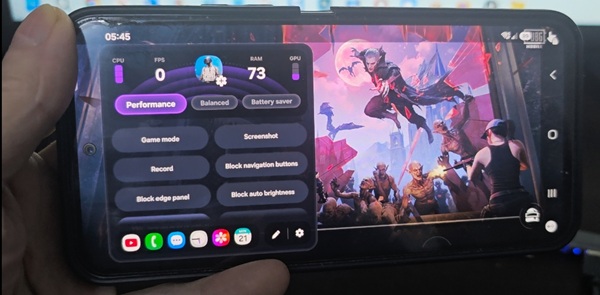
If you have a Samsung Galaxy A08 and cannot find Game Booster on your phone, you are not the only one. Samsung includes different gaming features on different Galaxy models, so the options available on the Galaxy A08 may not be the same as those found on more expensive Galaxy smartphones.
If you specifically want to download Game Booster for Samsung Galaxy A08, you can try installing the Game Booster package manually.
Why is Game Booster missing on Galaxy A08?
When you open the settings or look through your installed applications, you may not see an application called Game Booster.
This can be confusing because the Galaxy A08 has Gaming Hub, which is Samsung’s gaming platform for accessing and organizing games. However, Gaming Hub and Game Booster are not exactly the same feature.
Game Booster is designed to provide additional gaming tools while a game is running. Depending on the Samsung device and software version, it can provide options related to gaming performance, notifications, screen recording, touch protection and other gaming controls.
The availability of these features can vary between Galaxy models.
Can you install Game Booster on Galaxy A08?
If Game Booster is not included in your Galaxy A08 firmware, you can try installing a compatible Game Booster package manually.
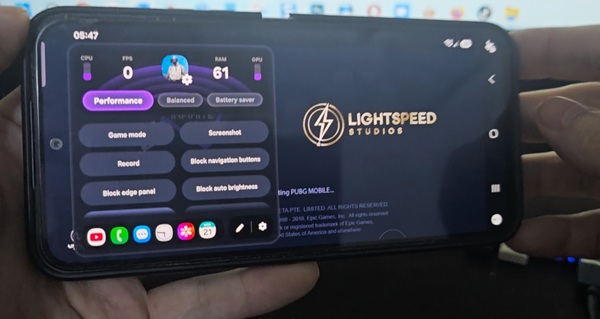
The result can depend on your Android version, One UI version and the firmware installed on your particular Galaxy A08. Therefore, installing the package does not guarantee that every Game Booster function available on another Samsung phone will become available.
Before installing the file, make sure that you download it from a source you trust.
How to install Game Booster on Samsung Galaxy A08
After downloading the Game Booster file, follow these steps:
- Download the Game Booster file to your Galaxy A08.
- Open the downloaded file from your Downloads folder.
- If Android asks you to allow installation from an unknown source, enable the required permission.
- Return to the downloaded file and start the installation.
- Wait until the installation is finished.
- Restart your Galaxy A08 if necessary.
- Open a game and check whether Game Booster is now available.
If Game Booster works with your current software version, you should be able to access its gaming controls while playing a supported game.
Game Booster vs Gaming Hub on Galaxy A08
It is important not to confuse these two Samsung features.
Gaming Hub is used to manage and access your games. It can act as a central place for your installed games and gaming-related content.
Game Booster, on the other hand, is designed to provide tools that are used while playing a game.
Therefore, seeing Gaming Hub on your Galaxy A08 does not necessarily mean that the Game Booster interface is also installed.
What if Game Booster still does not appear?
If you install the package but cannot find Game Booster, this does not necessarily mean that the installation failed.
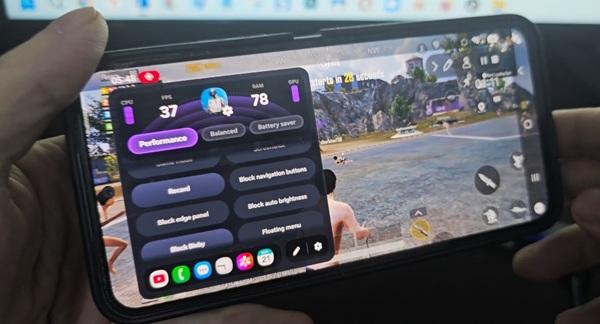
Samsung can restrict certain system components according to the device model and firmware. A package that works on another Galaxy model may therefore behave differently on the Galaxy A08.
You should also make sure that your phone is running the latest available software update before testing the installation.
Download Game Booster for Samsung Galaxy A08
If you want to try Game Booster on your Galaxy A08, you can download the package here:
After downloading the file, install it on your Galaxy A08 and test it with one of your games.
The available features may vary depending on the Galaxy A08 software version and region.
