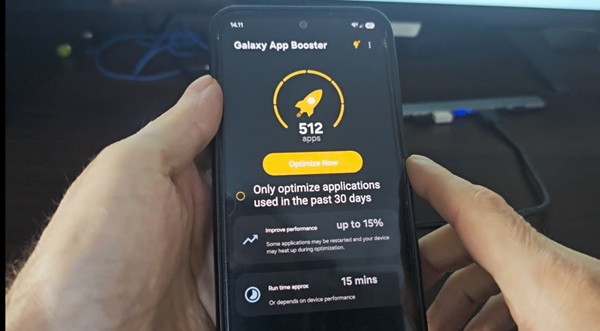
If your Samsung Galaxy has started to feel slower than it used to, you do not necessarily need to reset the phone or delete all your apps. In many cases, there is a much simpler way to improve the phone’s performance.
One of the most useful tools for this is Samsung App Booster. It is designed to optimize applications installed on a Galaxy smartphone, and after running the optimization, apps can start faster and the phone may feel more responsive during everyday use.
This can be especially useful after installing a major Android or One UI update, when installing many new applications, or simply when the phone has been used for a long time.
Why does a Samsung phone become slower?
A Galaxy phone can gradually become less responsive for several reasons.
Applications are constantly updated, system components change, and the phone accumulates more software over time. Even if you have plenty of free storage space, the applications themselves may not be running as efficiently as they could.
Another situation is particularly common after a system update. Android and One UI can change the way applications work, while existing applications may still need additional optimization. This is where App Booster can help.
Samsung Galaxy phones that can benefit from App Booster
Samsung App Booster can be useful on many Galaxy smartphones, including both newer and older models. The exact performance improvement depends on the processor, amount of RAM, software version and number of installed applications. The method can be useful on popular Galaxy models such as:
- Samsung Galaxy A18
- Samsung Galaxy A17
- Samsung Galaxy A16
- Samsung Galaxy A15
- Samsung Galaxy A14
- Samsung Galaxy A13
- Samsung Galaxy A08
- Samsung Galaxy A07
- Samsung Galaxy A06
- Samsung Galaxy A05
- Samsung Galaxy A04
- Samsung Galaxy A03
- Samsung Galaxy M16
- Samsung Galaxy M15
- Samsung Galaxy M14
- Samsung Galaxy M13
- Samsung Galaxy M05
The menus and availability of App Booster can vary depending on the Galaxy model, Android version, One UI version and region. Therefore, if you cannot find the application on your phone, make sure that you are using a compatible version and the correct installation method.
Whether you have an affordable Galaxy A series phone or a flagship Galaxy S or Z series device, application optimization can be worth trying if the phone has become slower over time.
What is Samsung App Booster?
Samsung App Booster is a tool created for Galaxy smartphones that optimizes installed applications.
Instead of simply deleting temporary files or clearing the cache, App Booster works with the applications themselves. The optimization process can improve the way apps are prepared and executed on the phone.
The result can be noticeable on some Samsung devices, especially if the phone has not been optimized for a long time.
You may notice that applications open more quickly, switching between apps feels smoother, and general interaction with the phone becomes more responsive.
The improvement will not be identical on every Galaxy model. A newer and already fast phone may show only a small difference, while an older or heavily used device can benefit more.
How to speed up a Samsung phone with App Booster
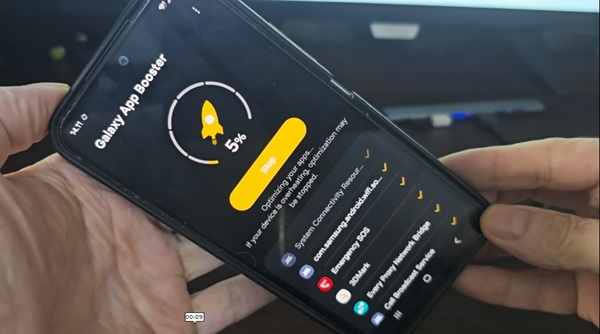
The process is relatively simple. First, download and install Samsung App Booster on your Galaxy phone.
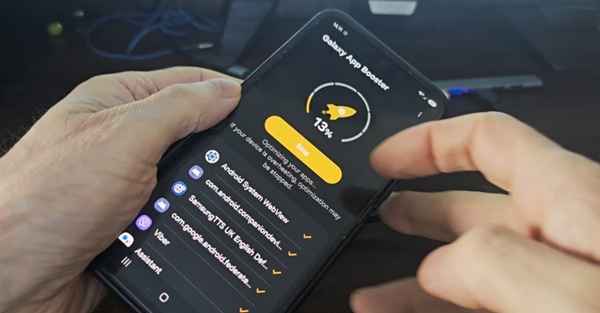
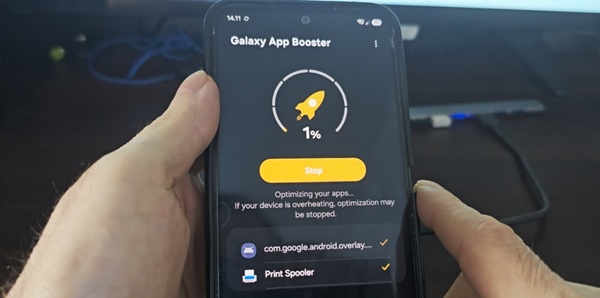
After installation, open the application and allow it to perform the optimization. The application will analyze the installed apps and optimize them.
The process can take some time, especially if you have a large number of applications installed. It is better not to use the phone intensively while the optimization is running.
When the process is complete, restart your Samsung Galaxy. After restarting, try opening the applications you use most frequently. You may notice that some of them launch faster and that the phone feels more responsive.
Does App Booster really make a Samsung phone faster?
Yes, it can. However, it is important to understand what App Booster actually does. It is not a magic application that upgrades the processor or increases the amount of RAM in your phone. Its purpose is to optimize applications so that they can run more efficiently.
Because of this, the effect depends on the condition of your phone. If your Galaxy is already performing well, the difference may be difficult to notice. On an older Samsung phone, or after a major software update, the improvement can be much more noticeable.
This is also why App Booster is different from many so-called “phone booster” applications. You do not need an application that constantly runs in the background and claims to clean RAM every few minutes. The useful part here is the actual optimization process.
When should you run Samsung App Booster?
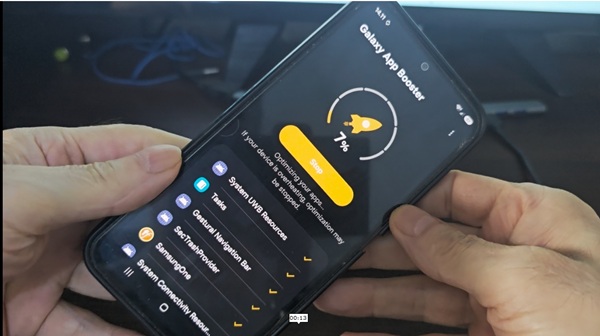
You do not need to run App Booster every day. A good time to use it is after a major Android or One UI update. It can also be useful after installing or updating a large number of applications.
If your Samsung Galaxy has gradually become slower, running App Booster is also worth trying before you start deleting applications, performing a factory reset, or using third-party cleaning tools.
For everyday maintenance, there is no reason to repeatedly optimize the phone if it is already working normally.
Will App Booster delete my applications or personal data?
The purpose of App Booster is application optimization, not removing your personal files.
Your photos, videos, contacts and other personal data are not the target of the optimization process. However, as with any system-level utility, it is still a good idea to use the official or trusted version of the application rather than downloading a modified APK from an unknown source.
A simple way to make an older Samsung feel faster
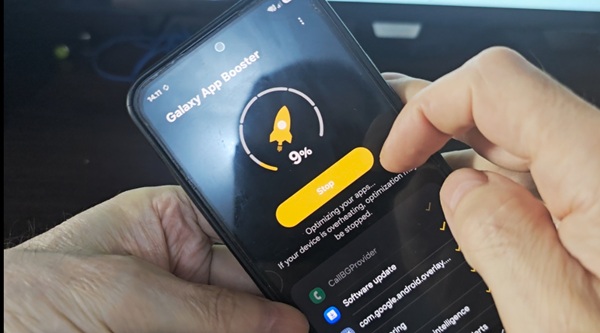
If your Galaxy has become noticeably slower, start with the least aggressive solution.
You do not need to immediately perform a factory reset. You also do not need to install several RAM-cleaning applications that remain active in the background. Try optimizing the applications first.
Download Samsung App Booster using the link below and install it on your Galaxy. Then run the optimization, restart the phone and compare the performance before and after.
Download Samsung App Booster
The download link is provided below this article. For many Samsung users, this is one of the easiest things to try when a Galaxy phone starts feeling slower without a clear reason.
